 EZBin
What’s new in EZBin
Every EZBin update, newest first. The app shows only what changed since your last version; the full history is here.
Version Next release (in progress on dev)
- Code shrinking and obfuscation (R8) for the Play build: smaller app, harder to copy, readable crash reports in Play.
- CI: every build of the Play version is tested on an Android emulator (setup, add, search, scanner, backup, Pro, restore).
Version 1.0.233 In Google’s review
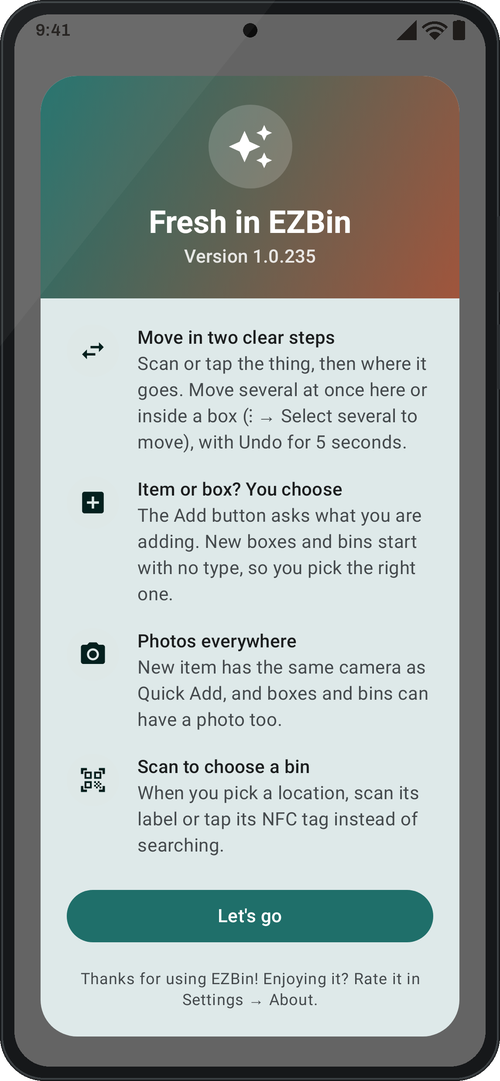
- Move in two steps: both steps always on screen. Move several at once ("Move more than one", then "Next: where it goes"; Undo puts all back). Scan or tap the item/bin → beep, step 1 turns green; scan or tap where it goes → beep, step 2 turns green. "Moved successfully" with Undo for 5 seconds, then the screen is ready for the next move. "Choose from a list" still works for step 2.
- Inside a box: select several and move them together: ⋮ → "Select several to move" (or press and hold a row), tick boxes and items, "Move to…" (search, scan or NFC), Undo for 5 seconds. Lent things can't be ticked.
- Add item or box/bin: the Add button asks what you are adding, each with its icon (top level: Add location). Quick add many items stays there too.
- Boxes, bins and locations: Type starts empty and is required (no more boxes saved as "Garage" by accident). Each can have one photo (same back camera or the gallery); shown on the box page.
- New item has the same camera and the same order as Quick Add: location, photo + quantity, name, description.
- Choosing a location anywhere (New item, Quick Add, Move, returns, reports, item page): type to search, scan the label (new button), or tap the NFC tag.
Version 1.0.219 Testing build
- Lent = paused: a lent item, or anything inside a lent box, can't change stock, be moved, edited or deleted; a lent box can't get new items.
- A thing returned without its box asks where it goes now.
- Check In / Out keyboard searches by name, code, UPC or first letters, plus "Use … as a code".
- Same red/green −/+ buttons everywhere. New "What's new" card.
Version 1.0.208 Testing build
- Lend a box with everything inside (one group, Return all).
- Search in Print labels; "Tick all found".
- "What's new" card once after each update.
Version 1.0.202 Testing build
- EZBin's own camera: always the back lens, several photos in a row; gallery picks up to 10.
- Quick Add: keyboard Done no longer saves; the next item starts at the top.
- Encrypted backups; old backups still restore.
Version 1.0.196
- First release of EZBin (Internal + sent to Production review).