
 EZBin
Can’t find it in the van, the garage, the attic, the stockroom or the warehouse?
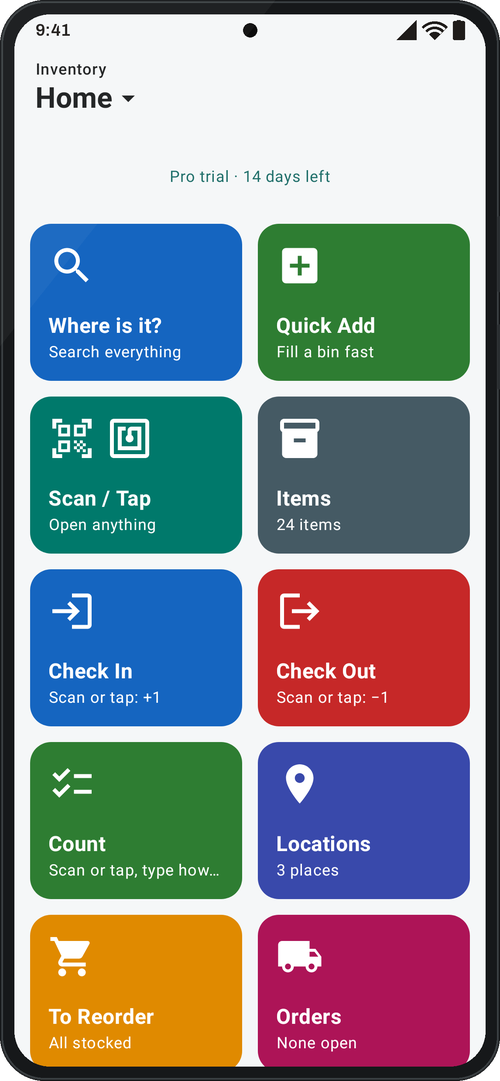
EZBin is the Android inventory app that knows where everything is: every box, shelf and drawer, down to the last box of screws.
Highlights
What EZBin does best. Tap any card to see how it works.
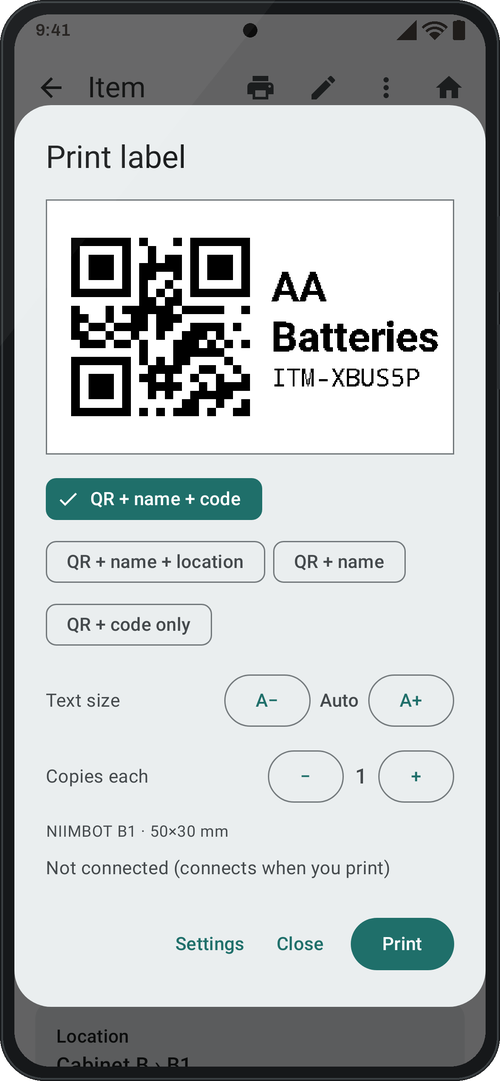
Print labels
QR labels on a NIIMBOT Bluetooth printer, in seconds.
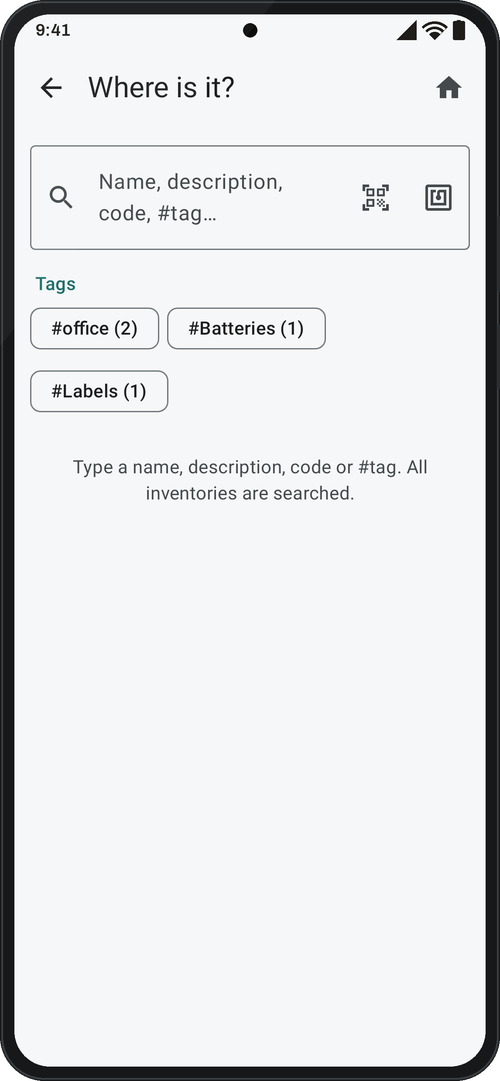
Scan or tap
Scan a label or a product UPC, or tap an NFC tag, right in the search box.
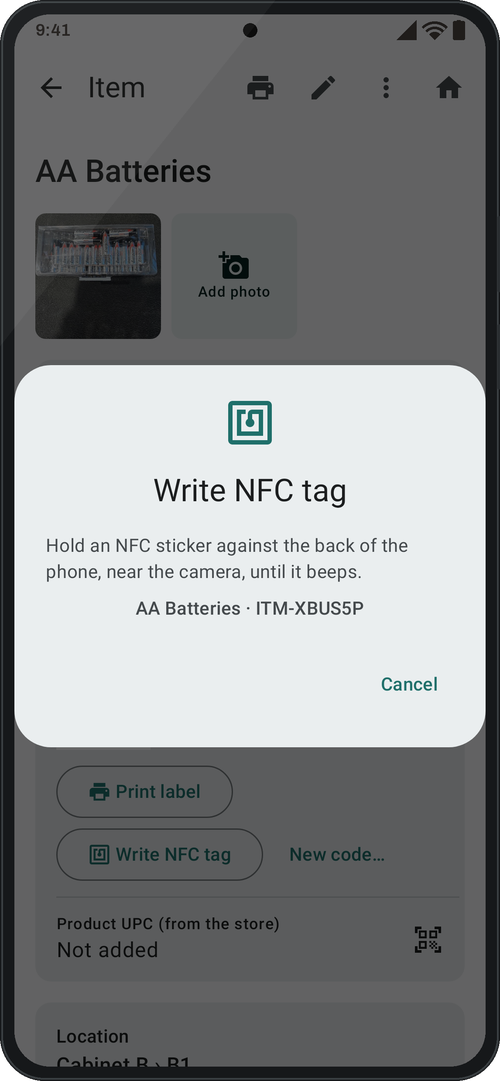
NFC tags
Tap a sticker and the box opens, even with the app closed.
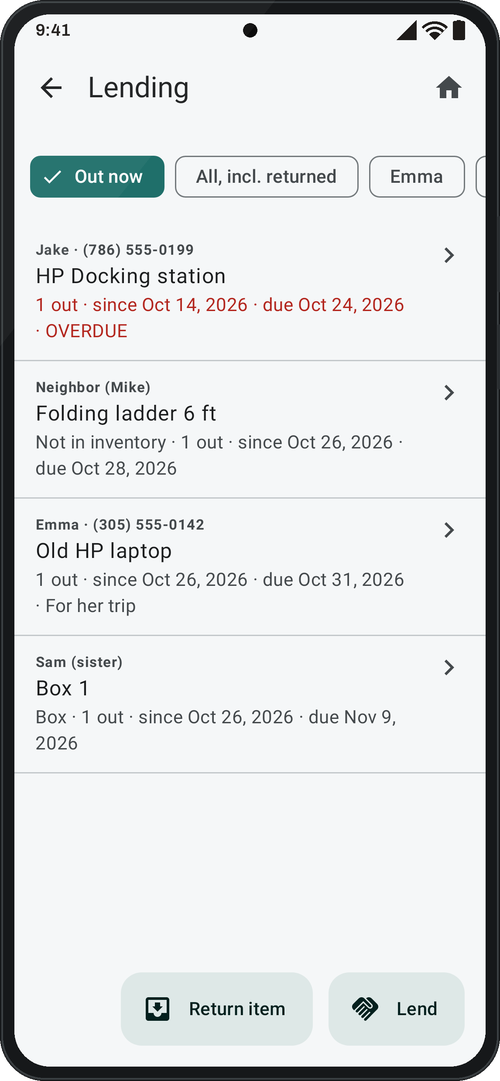
Lending Pro
Lend a tool, see who has it and scan or tap it back in.

Reports
Excel, PDF or CSV in one tap.
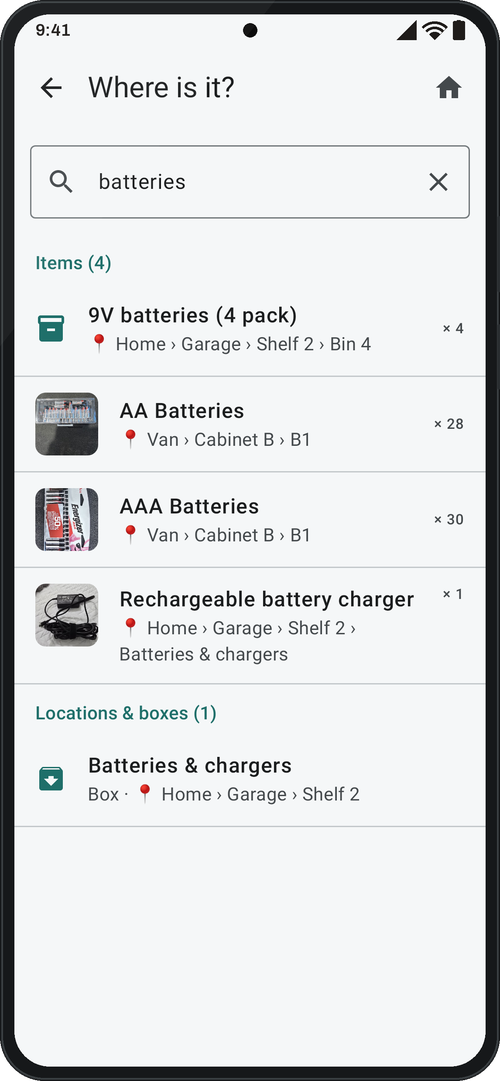
Where is it?
Search every box, shelf and van as you type, and see the exact spot.
Made for everyday life
From the kitchen drawer to the work van: if you’ve ever said “where did I put…”, it’s for you.
Where did I put it?
The items you use once a year, and the ones you always reach for: holiday decorations, the camping gear, your favorite tools, spare chargers. Search and see the exact room, shelf and box.
Laundry and cleaning supplies
Detergent, softener, bleach, dish soap, paper towels: see how much is left in the cabinet and what to buy before it runs out.
Running low?
Set a low-stock alert and EZBin warns you. One tap opens the store you saved for it, and you follow the order from Ordered to Received.
Garage, attic, storage unit
Before you climb into the attic, dig through drawers or open box after box, EZBin tells you exactly where it is.
Moving house
A packing list for every box, with what’s inside and its size and weight, ready before the truck arrives.
Items you lend Pro
Know who has your ladder, drill or folding table, and when it’s due back.
Everything in its place
Ask “Where is it?”
Search every van, room and shelf at once and see exactly which box each item is in. Scan a label or tap a tag in the search box, too.
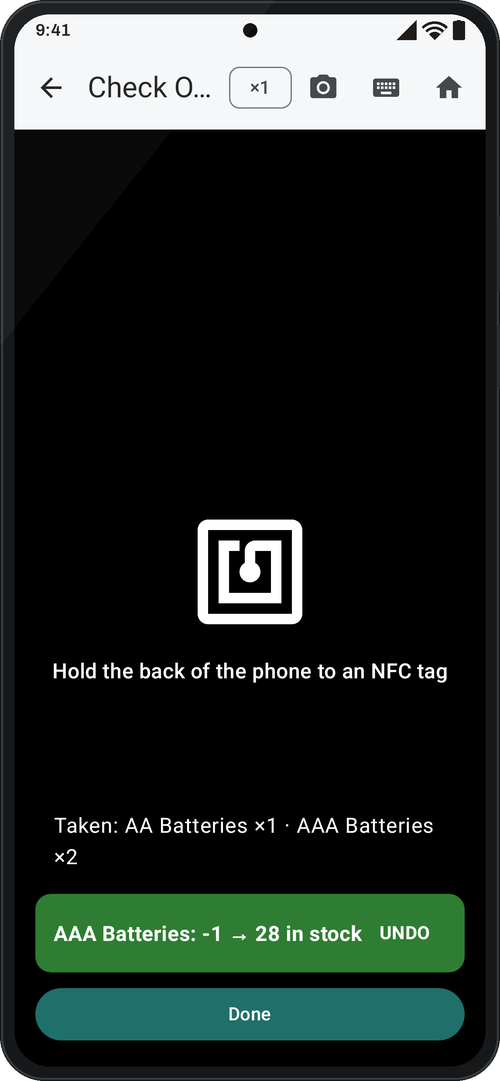
Scan or tap: in, out and count
Each scan or NFC tap adds or takes one, with Undo and a running list. Count to fix the stock: scan or tap an item and type how many there are.
Your layout, as deep as you need
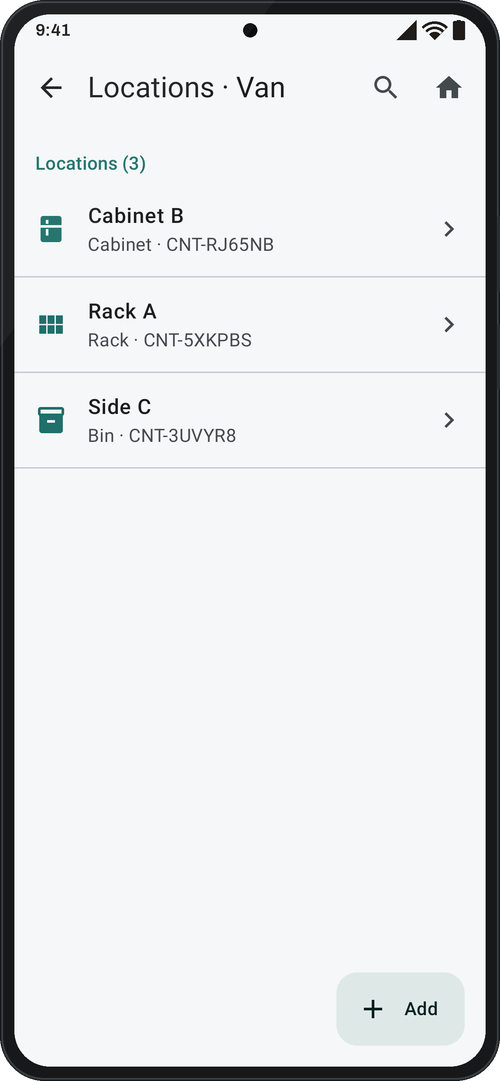
Van › rack › drawer › item: boxes inside boxes, with size and weight totals for every place.
Print a label or write an NFC tag
Give every box and item a QR label on a NIIMBOT Bluetooth printer, an NFC sticker, or both. Scanning the label or tapping the tag opens it, even with the app closed.
Reports in one tap
Excel, PDF or CSV: the full inventory, packing lists by box, and what to reorder. With Pro, choose the columns, add item photos to the PDF and save your own reports.
Lend several items at once Pro
Lend tools, a whole box with everything inside, or items that aren’t in your inventory to one person. See who has it, call them, and scan or tap it back in when it returns.
Make it yours
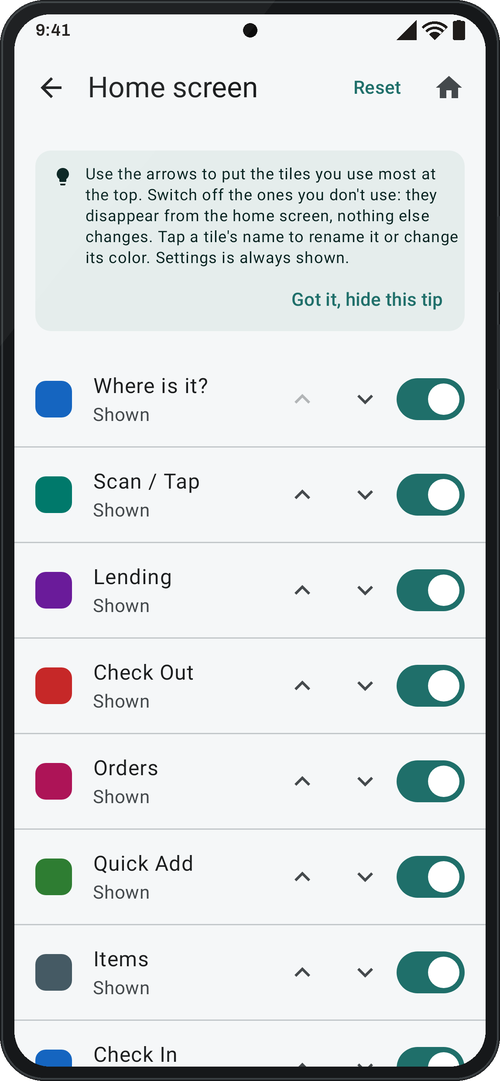
Your colors, light or dark, and your home screen: rename and recolor each tile, put the ones you use most first. Plus your own location types and, with Pro, your own fields and report columns.
Works with
- NIIMBOT Bluetooth label printers (tested: D11_H and B1)
- NFC stickers NTAG213, 215 and 216 (anti-metal for toolboxes)
- Phones with Android 8 or newer; NFC needs a phone with NFC
- App in English
Your data stays on your phone
No account, no cloud, no ads and no analytics. Data leaves the phone only when you share a backup or report.
Free to start, Pro when you grow
Free
$0
Every core feature: label printing, NFC, scan or tap, check in and out, count, move, search, photos, tags, orders, standard reports and backups, for 1 inventory and 100 items.
Pro
$29.99 one-time Launch price
One-time payment. No subscription.
Unlimited items and inventories, lending, your own custom fields, and custom reports: choose the columns, add item photos to the PDF and save them as My reports.
For teams
Running several vans or a warehouse? Tell us how your team works and we’ll keep you posted on a version for teams.
See it on a real van
A live video call from a working service van: labels on every drawer, NFC tags, the label printer, and how a tech takes parts. Or book a 20-minute demo of the app.